Online Photos Editing

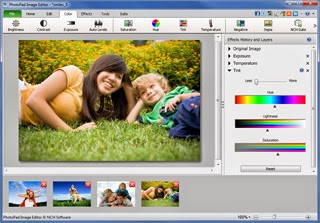
Many of these free photo editing programs aren't lousy or lacking in features. Some of them are industrial grade (e.g. GIMP) and some are geared towards simple, online photo edits (e.g. Fatpaint). In this article, I'll introduce you to seven of the best photo editing software programs for Windows.

1. The GIMP

The GIMP is a great free, open-source image editor that brings high-end photo editing to users for free. The interface is a bit complex to pick up, but it is very powerful. If you've used Adobe Photoshop before, you'll find many of its functions available in the GIMP. For a free piece of software, it has an amazing repertoire of functions.
Download

2. Fotoflexer

Fotoflexer is a web-based photo editing application that has casual and prosumer appeal. If you're a novice, you'll be able to go in, do some simple edits and be done. If you're a more advanced user - you'll be spoilt for choice in terms of what this tool can do. We're talking about blurring, comic, retro, animatinos, distortions and even layer support - all done online with your photo.

Go online

3. Paint.Net

Paint.Net has been around for some time and boasts an easy-to-use interface and a huge array of effects. If you don't need to use the full power of Photoshop and simply want a quick and dirty tool, Paint.Net is a good bet.

Download

4. Picasa 3.5

Owned by Google, Picasa is a very pretty and top notch photo editing program. You need to install a desktop client in order to use it. However, it's interface is very clean and has cool tools like geo-tagging, great sharing support, web albums and name tags. Picasa gets my vote as one of the best in this list - it's a terrific, easy, and free way to edit and organize your images.

5. Picnik

Picnick is another photo editing tool that is web-based and has been around for some time. It's quite powerful in the photo editing options it offers - although it's not as full-featured as Fotoflexer, in my opinion.

6. Windows Live Photo Gallery 2011

Microsoft has jumped on the photo editing bandwagon too - with Windows Live Photo Gallery 2011. It gives you face recognition and retouching capabilities and is in fact a very good alternative to Google Picasa or Apple iPhoto.

7. Fatpaint

Fatpaint is an online and free, graphic design software and photo editor. It's one of the newer tools in this list - you can create page layouts, paint and draw vector images, logos and illustrations very easily.

Conclusion
As you can see, there are many choices available when you're picking a good photo editing software program for your Windows machine. What I've shown you are 7 of the best and free tools available out there. Be sure to check them out. For more serious work, you'd of course want to use a commercial package like Adobe Photoshop Elements or Corel PaintShop Pro X4.

Until next time, happy photo editing!

Gary Hendricks runs a hobby site on digital photography. Visit his website at Basic-Digital-Photography.com for tips and tricks on buying digital cameras, as well as shooting great photos.

Article Source: http://EzineArticles.com/?expert=Gary_Hendricks
Image Editing Software

Do you take a lot of photos and find that you always need to touch them up but the editing software you have falls short? You're not alone because many of the editing programs that come standard on your computer are simply child's play when it comes to professionally touching up your photos. Regardless if you are a professional photographer or just learning the tricks of the trade, one of your best buddies for producing a final product that you are proud to show family and friends.


Just as digital cameras have advanced over the years so has digital editing software, and today it can literally make your photos stand out because the software is designed to enhance your photographs.

Let's face it, if you took the time to take the photo in the first place, you certainly want a photo that is crisp, clear, and lively. If it fails to produce this, rather than deleting the photo, you can use editing software to help improve the imperfections of your camera-taking abilities or the poor lighting you took the photo in. Even professional photographers use digital editing software before they deliver their final product.

Most people find editing software fun because until you save the photo with the changes, they are not permanent. Therefore, you can play and have fun changing the background of the photograph so that the main image in the photo stands out clearer. You can smooth out facial lines, which your subjects will certainly appreciate, and it will look very natural and crisp. Think about a photo of a celebrity you admire, the photo before you see it goes through many edits to make the celebrity look their very best so that when you see it, you are in awe at how beautiful (female) or handsome (male) they look.

The point is, no matter how good of a photographer you are, you will always have a need for editing software. In fact, you may take a photo knowing full well that you need to edit it because you want to add something to it or spice it up in some way. Photography has come a long way since instant Polaroid photos, today there are endless edits you can do to an image to create with the perfect lightning, backgrounds, and crispness.

Finally, when you are searching for digital editing software, make sure you do some comparisons and find some online reviews that can give you a birds-eye view into the software that others are using and find out what the pros and cons are of each software. In addition, think about what and how you plan to use the editing software, because the more photos you take, the more you will need a reliable editing program to spruce up your pictures.

Article Source: http://EzineArticles.com/?expert=Tony_JJ_Smith
Image Editing Software

After deciding that you need a website, it can be overwhelming to think of where you should start. You may wonder what your first step should be or how to build a website in the first place. Picking a host site is the first step in how to build a website. Your files for your website will be stored on this. There are many free web hosts on the internet today that will provide all the tools that you will need.


Many website hosting companies offer their service for relatively cheap, and they can provide superb technical support. They can provide tools and tips on how to create your website and keep you informed about changes and updates. Oftentimes they offer an array of templates that can be used as a basis for your website, which only require you to fill in blank spaces.

If you have more technical skill, you may be able to build a website on your own. Lots of books and websites are dedicated to teaching you how to build a website. If you think you might be able to do the work on your own, you should have some training in HTML programming and CSS""Cascading Style Sheets.

Familiarity with image editing software will be needed. But if it is a more complex website you seek, then you should also have knowledge of Javascript and possibly programming such as PHP or ASP.NET. Other programming languages are used on the web. To get up to speed, each of these languages have easy-to follow tutorials, all of which are available online.

In order to modify a data-base driven website yourself, one need to have a good understanding of database programming. most host give an option and access to either a MySQL Database or some flavor of SQL Server database. Both of them are similar apart from very few differences.One can choose among them, the one on which one is more comfortable with.

Whether you're building your site from scratch or using a template that was provided by your web host, knowing these skills will be an incredible asset as you build and maintain your websites. You won't be forced to hire outside help when you can depend on your own knowledge to create and modify your website.

After deciding that you need a website, it can be overwhelming to think of where you should start. You may wonder what your first step should be or how to build a website in the first place. Picking a host site is the first step in building a website. Your files for your website will be stored on this. There are many free web hosts on the internet today that will provide all the tools that you will need. Even if you need to pay for a hosting account, one can be had very inexpensively and they will also offer tremendous support for you.

Article Source: http://EzineArticles.com/?expert=Tem_Balanco

Image Editing Software

It is easy to see why Photoshop is considered to be the premier image-editing software available today. The Photoshop program contains exceptionally sophisticated effects that in the past would have taken a great deal of time and effort to achieve and condenses the steps to reach these effects to only a few simple clicks.


Photoshop does come with a price tag that some may consider high, especially when there are freeware editors available, but with the wide expanse of features it offers, it is considered a vital program for anyone working with any graphics medium from print to the web and even to movies and television.

This has resulted in the vast number of less expensive competitors (although none are really considered to be contenders), plus the piracy of the Photoshop software itself. In measures to counter this, a simplified version of Photoshop known as Photoshop Elements was introduced which has proven to be a perfect tool for beginners.

How did Photoshop get into this dominant position? Well, development started in 1987, with the first release in 1990. Since then, Adobe has been improving the software continuously, constantly taking advantage of advances in hardware power. Even now, to get the best performance out of Photoshop, you should buy as much RAM as you can afford.

It is not just Adobe's efforts that have got Photoshop where it is today, however. The program's plugin architecture has allowed there to be are all sorts of plugins available for more advanced work, including some plugins that actually cost more and do more than the program itself.

In this manner, Photoshop is frequently used in the same aspect as Windows as a springboard. It would be a tremendous endeavor to get these plugins to run with any other software, making competitors essentially ineffective to those using a plugin.

Photoshop for Windows and Mac OS (both OS 9 and OS X) are available today. For those wanting to use it on Linux, you will have to use Crossover Office, Codeweavers' program that permits some Windows software to operate on Linux, but it will be quite slow.

Article Source: http://EzineArticles.com/?expert=David_M_Peters
Image Editing Software

Photoshop is widely considered the best image-editing software in the world today by a long way, and it is not difficult to see why. Photoshop offers incredibly advanced effects which would previously have taken days or weeks to accomplish, and reduces them to the level of a few settings and a few clicks.


Although it is expensive, today it is considered an essential program for anyone working with graphics, whether it's in print, on the web, or even in television and movies. This has led to a huge number of cheaper competitors (who have been largely ignored), as well as rampant piracy of Photoshop itself. To counter this, a cheaper, simpler version of Photoshop called Photoshop Elements is now available, which is especially good for beginners.

How did Photoshop get into this dominant position? Well, development started in 1987, with the first release in 1990. Since then, Adobe has been improving the software continuously, constantly taking advantage of advances in hardware power. Even now, to get the best performance out of Photoshop, you should buy as much RAM as you can afford.

It is not just Adobe's efforts that have got Photoshop where it is today, however. The program's plugin architecture has allowed there to be are all sorts of plugins available for more advanced work, including some plugins that actually cost more and do more than the program itself. In this way, Photoshop is often used much like Windows, as a platform - and it would be a huge effort to get these plugins to run on any other software, making competitors effectively useless to anyone who relies on a plugin.

Today, you can get Photoshop for Windows and Mac OS (both OS 9 and OS X). If you want to use it on Linux, however, you will have to use Crossover Office, Codeweavers' program that allows some Windows software to run on Linux, but it will be quite slow.

Article Source: http://EzineArticles.com/?expert=John_Gibb
Image Editing Software

Your photographs are ready ... your image editing software installed on your computer ... you can now begin to get to grips and experiment to your hearts content with the many aspects of the digital imaging world. As an introduction to this digital imaging article, I'd like to talk about the core functions included in a typical image editing package. Hoping this should give you some starting ideas ... so let's begin!

Image Editing Software

Just to mention - there are many image editing software packages available - from basic programs that can remove red eye, dust and scratches, adjust brightness and colour, to the more professional software that includes all of the above, plus, you can also manipulate your image into an artwork piece, or combine several images for montage effects, etc. So whatever you intend to do, whatever you want your end result to be - choose a suitable software for your digital imaging desires. Some companies will let you trial their software for so many days, to see if it's the right one for you.

So having chosen your software, let's look at the core functions of image editing software ...

Viewing your Pictures

Whether you are using a digital camera or scanner to bring in your pictures, of course you will need to view them to be able to edit them. You can either bring in one picture to work on (your picture will show in a window box), or, you can bring in more pictures into your software program. This is handy if you are working on a couple of pictures, for example, and wish to combine the two pictures into one.

Most software programs should also have a browser - for example, if you have saved your digital photos straight from your camera into a folder on your hard drive, you should be able to browse, or look for the folder name to find small images (known as thumbnails) of your pictures. Once you find the picture you're looking for, by double-clicking on it should open up your picture in your editing program. That's one way of bringing in (Opening) a saved photo. Of course you can also use the File Menu and Open - which will bring up a dialogue box. From here, you will have to search the folder and filename you saved your picture as.

Resizing your Image

Whether you want your end result for print or the 'web' you can resize your picture up or down. As image editing software works in pixels (small squares of data to make up your image) if your end result is for print, do bear in mind to take your digital photo in a higher resolution mode. Alternatively, if you are scanning in a photo or object for print output - scan no less than 150 dpi. This will enable you to resize your image to a larger picture (or what's known as resampling up). You have no need to worry about images for the web, as you will probably have to resample down or resize to a smaller ruler size, also smaller resolution, i.e. at 72ppi or 96ppi for internet use.

Rotating/Flipping your Image

This is a handy feature, and you can use this command to rotate the canvas, if for example you have scanned in your image and it's upside down. A couple of clicks with the mouse will rotate your image correctly, rather than spending a lot longer having to re-scan your picture.

Retouching

This is a most commonly used feature in image editing software. After you have opened your image, you can remove specks and scratches, correct red eye, remove unwanted objects, colour balance and brighten your image. Overall you can enhance features to make the best of your image.

Colour and Contrast

Experimenting with colour and contrast can be fun. By adjusting colour and contrast can give you either subtle or psychedelic effects, depending on what you're after. Contrast used sparingly can also help improve the clarification of an image.

You can change colour photos to black and white - you can add spot colour to black and white photos. For example, imagine a black and white photo of a bride and groom with spot colour applied subtlety on the flowers the bride is holding.

Basic Tools

Getting used to just moving around in your software is a good start. Don't be put off by the many tools and menus available. Just learn a little at a time. Here are the most used and most important tools I would consider...

Hand and Zoom Tools

These tools are great because the Hand tool lets you drag your image across the screen, keeping the same zoom level, for moving your image around, whilst working on it at a comfortable view. Zooming lets you zoom in very close, which is great for finer detail and small brush work, then zooming out to page display level, so you can see overall what your image looks like.

Selection tools

Although there are more than one type of selection tool for many uses, they are each designed to help you select or highlight part of all of an image. A basic example would be - say if you had a photo you liked but part of it was a little dark which didn't show detail - using one of the selection tools you can select that dark part, and then brighten up that particular area. By doing this, you avoid brightening the rest of the picture which is okay and doesn't need brightening. Another example of using a selection tool would be to cut out an object from the image e.g. person and place your person into another background.

Rubber Stamp (or Clone) Tool

This must be the tool I have mostly used throughout my image editing experience. It basically picks up colour or attributes from one area and lets you stamp the same to another area. An example would be to remove an unwanted object (say a lamp post continuing from the back of someone's head). I would zoom in fairly close, using a suitable brush size for the level of zoom, then start cloning from the immediate area next to the lamp post and keep on going until I have removed the lamp post. Bear in mind you may need to zoom out at times to check whether your image is looking okay, also you may need to change your brush size smaller larger, depending on the level of zoom you're working at. Bear in mind too, the area you are cloning from whether it is solid colour or gradient colour (e.g. clouds). You may also need to adjust the transparency level of colour for your clone tool in this case to avoid a patchy looking area after you have removed the lamp post.

Text Tool

This tool basically gives you two options for text - to use text in a box, for example, if you are writing a few words. You also have a choice of many true type fonts (style) available. The second option is artistic text. Again you have a list of different style fonts available, but this time you can apply filter effects to your text, or stretch and manipulate your text to be more creative.

Having Fun Montaging and Overlaying Images

If your software allows, you can take your image to the next dimension! Here you can produce a montage (collection of images) into one image. You can also overlay two or more images (like a multiple exposure effect using a traditional camera). So it's all excitement from here!

Don't forget to save your images in a folder where you can find them. I've got that many folders now on my computer, but at least I know where to look!

Hope these digital imaging tips giving the core functions of imaging editing software have been helpful. I do show example images on my site in this article. We'll next look at bringing in an image to work on at a basic level of retouching.

Article Source: http://EzineArticles.com/?expert=Yvonne_Grubb
Image Editing Software

People usually think that using image editing software is wrong when taking pictures of your family. However we all have been in the situation of watching our kids enjoying the extent of a sport game, their commitment to their team mates, and on the same time trying to memories those joyful moments by taking their pictures.


In order to keep these memories fresh in, you should be carrying your camera any time you go with them. It is your job to capture the mood, the ceremony and the celebration

We all now that it is a hard task to fulfill. During game time the majority of the time you are severely limited, and in the end cannot offer truly amazing pictures because it was full of people and sometime very crowded. However, if you wish to offer your family the "services" as an exotic photo taker, you can do so easily and inexpensively with, image editing software, called a green screen and chroma key software. It's a lot easier than it may seem.

So, what would you do?

Off course, during the game you will take as many pictures as you can. After the game is over you would go to pick some nice locations, you usually look for a nice place on field, near goals or near players bench or in front of the fens seats. Remember to have the right lightning.

At home in front a green screen locate a place where you can set up your own lights. After lighting up the screen, with two lights facing the center of the screen, a third light will be used to light the happy kids you would like to take pictures of. You take a good number of photos.

Then you will use green screen image editing software to add the pictures to any background (you took on field) that suits the picture you were taking now.

Farther more, let us say you or kids would like to show their love to sport on a spacial occasion. Scenes such as a special photo with a famous player or coach, the team playing on field, the fens jumping and cheering to the team. These background locations, loaded in your image editing software, will help to feel the strong moments you have shared on this special day with one another.

Article Source: http://EzineArticles.com/?expert=Ariel_Kalkuda
Image Editing Software

If digital camera is the air for digital photography, then image editing software is the water to enhance your photography experience. You can only enjoy photography to the fullest with both of them by your side.


Over the years, as digital camera evolved, so does the photo editing software. It became more sophisticated. Relax, it is still user friendly even though more functions have been build into it. Most of the new image editing software are equip with tutorials so that you can fully 'exploit' the software.

You are lucky that software developers nowadays have refined their skills when they build the software. Last time, you can only do a handful of things with these softwares.

Today, you can remove those horrible red eyes with the photo editing software when you forgot to on the red eye reduction feature. When you want to add some special effects to your picture, you can now customize the effects and create the most unique picture for yourself. When you think you need to enhance the lighting and sharpen your picture, you can simply click a button and you will get the picture you want.

When you start with digital photography, you will start to take a lot of pictures. It can be a painful experience when you have so many pictures to organize and you don't know where to start. This is when the image editing software comes in and helps you organize your pictures. This can save a great deal of your time when you need to share your pictures in a short preparation time.

As helpful as these editing softwares may sound, some of you might have the problem of how to choose the perfect software for yourself. The first thing you have to understand is that the perfect software never exists. There are pros and cons for every software. You have to live with the limitation and choose the software that suits you most.

You can always refer to reviews about the software. These reviews are easily available online or in photography magazine. Read them through and you will have the idea of which software to choose.

Article Source: http://EzineArticles.com/?expert=Michael_Poh_Wai_Wong
Editor Photoscape
Photo Editor

With the growth of digital cameras, digital photo editing is being embraced by home enthusiasts who have been gripped by the digital bug. In the past, photo restoration services have attempted to restore ripped and torn images to their former pristine glory. Thanks to the advancements in digital technology, modern manipulation and storage capability no longer requires third party intervention. Software has now taken over as the photo editing tool of choice.


Gone are the days where sophisticated software was the domain of professional photographers and the graphic designer. With the growth of the internet, online tutorials, educational services and streaming media presentations provide the ability for anyone with the desire to learn to acquire the skills in a minimum amount of time.

Whether you want to repurpose existing photos, remove blemishes, reduce redness, compile a slideshow or export the finished production to a range of media friendly formats, photo editing software can help you to achieve your goals. With such a diverse range of options, securing software doesn't have to be costly. In fact, you can get free software by downloading it from the internet. In most cases, the help files are self explanatory and you can bring yourself up to speed in no time.

Online photo editors also provide versatility to edit images on the move. You can upload images to the net, repurpose and distribute via email. For enthusiasts who want to share with family and friends, online photo galleries provide the means to do so. Google picasa and photobucket are popular websites that provide a range of digital editing and sharing solutions.

The advancements in photo editing software also provide the ability to create professional grade DVD presentations for personal or commercial use. Burning images to DVD for storage purposes or displaying them as a DVD or slideshow is a quick and convenient way to store and display images. With advancements in printer capability, printing out your own images, either straight from the digital camera or after software repurposing is now a practical reality.

The trend in digital camera use is set to continue and digital photo editing is set to grow in importance as more people discover how easy photo manipulation has become.

Article Source: http://EzineArticles.com/?expert=Andrew_Winthorp
Editor Photoscape
photo Editor

The task of a photo editor is to work closely with photographers to get just the right photographs to publish in magazines, newspapers and other visual publications. The job does not entail actually taking the photos. They simply make sure that the right photographer is hired to obtain and produce the perfect photo. If you are skilled at dealing with people and love the art of photography, then this job may be perfect for you. These guidelines explain how to be a successful photo editor.


Begin with a good education. To get any job in the media industry - whether it is at a magazine, paper or anything else - it is important to have a college diploma or university degree. Realistically, an aspiring photo editor should take courses in journalism, art, media, marketing and of course, photography. There is not dedicated course to take, but for a photo editor, these courses are a good start.

Get the skills. Once you have finished with school, the next step involves getting the right skills. Above all, a photo editor needs a great deal of knowledge about photography. They must get experience in designing a 'look' or a 'feel' for an article. Photo editors have to be good at visualizing concepts, using the ideas in the stories and articles and enhancing them with the perfect photo. Photo editors also know many photographers who specialize in taking different types of pictures. You can't have too many contacts in this field.

To get all of these skills, you should try to take an internship working in the art department of a newspaper or magazine. You can be mentored by the more senior photo editors. This hands-on experience is what will get through the door of some highly respected media companies.

If you can't get an internship, just try to get any kind of job working in photography, editing or art. In this situation, the best you could get would be an entry-level position working for a magazine, and have the chance to work your way up.

Apply for positions. When you have some experience behind you working in photography and publishing magazines, you will most likely have a better chance of getting a job as a photo editor. Try your own employer first for any available jobs. If you've given it your all, you should have little difficulty finding a job as a photo editor job. For jobs in new companies, present your polished up résumé and a cover letter that is tailored for that company, which outlines your experience and passion in the industry. With any luck you will get to work with some of the most talented photographers in the industry.

Article Source: http://EzineArticles.com/?expert=Tiffany_Provost
Editor Photoscape
Photo Editor

Ever struggled with the task of deciding which of several negatives to have printed? If you think you've got problems, you should try being a photo editor for a major news organization. Not that I'm in that position, but I know someone who is.


The next time you're puzzling over a 30 exposure roll of negatives, deciding which ones you want printed, you might feel better if you consider the job of a press photo editor at a top magazine.

These people often handle up to 400 rolls of film each day on a big event, painstakingly selecting the few key photos the public will see in the finished magazine or newspaper.

At the same time, they are looking for pictures to meet special requests from newspapers and other magazines for photos of the hometown hero in action, whether it be the Olympics, or the World series, or any other event taking place.

Just take a second to do the math, and you'll quickly get the notion of the task in hand. - 200 rolls of 36 exposure film comes to a possible 7200 negatives to be inspected.

And a key role all photo editors learn early is that they must look at every negative, since the off-beat, prize winning shot may be hidden in a string of routine photos.

Many editors say they cannot spend more than 5 minutes on a single roll of file, so how do they manage to handle all that work?

First, the photo editor and the assignment editor have to study the event, understand what it's all about, and have a clear picture of what is required. If it's something like a national political convention, they must have a clear idea of the personalities and the issues, so that the pictures chosen will pinpoint the proper highlights.

They rely too, on the notes from the photographer attached to the films sent in. They may point out that the reel covers a record breaking performance, or perhaps includes a great shot of the candidate.

That roll then gets priority handling in choosing negatives for printing, so that the key shot is pulled out quickly - but each frame still has to be viewed - just in case. In these days of motorized and digital cameras, it's not unusual for photographers to turn in a string of 15 to 20 shots on one specific moment.

In such cases, the photo editors look for the face of the winning contestant to see which frame shows the action and best expression. Eyes are a key point too - are they open or closed, looking happy or sad etc. Sometimes these little things make all the difference between a winning shot and a loser.

Once the shots are processed, it's then a case of storing these images for future use. A lot of the time, they will never be used again, so they are usually discarded immediately. The winners and maybes will need to be archived, and then edited to make them perfect for the final print.

This is where the digital photo editor software comes in - and the process is handed over to the technical department. Most media companies have high end photo editor software packages, that can do untold things to photographs that you'd never believe.

From a great photo with poor quality lighting, or serious red eye problems, a good photo editor can turn that into one of the best images you've ever seen of award winning quality.

Because let's face it, if the weekly sports magazine had photos of your favorite hero with half his (or her) face grayed out by bad light, or had red eye like the devil in End of Days, you probably wouldn't be too impressed.

Article Source: http://EzineArticles.com/?expert=Mike_Spencer
Editor Photoscape
Photo Editor

When looking for user-friendly photo software, you should consider Photo Editor X. With all the features of a comprehensive photo editing software, Photo Editor X will allow you to enhance almost every detail of your photos. Although it is fully featured photo software, you don't need professional skills to manipulate the functionalities. In fact, it is a lot easier to use than most comprehensive photo software.

Photo Editor X: Features

This software is an award-winning software that was once only available to professionals. But now, it is readily available to you and me. So you have the opportunity to see what professional users love about this software.

The moment you start to use Photo Editor X, you will see why many users like it. It is very user friendly. You can enhance your photos in just 5 minutes. And you can easily create images from scratch too. It is not only ideal for professionals, but for amateurs as well.

In fact, it has over 200 pages of illustrated manuals and 25 video training tutorials of over 3 hours. You will find just about anything you want to learn about in these training tools. You will be given step-by-step instructions that will teach you editing tricks that professionals use. And soon enough, you will be able to take full control of your digital images.

To make things easier, this software also come with one-touch functionalities. You can enhance and add effects to your photos in an instant. You can also work with different file types such as.RAW, JPG, GIF, BMP and more. Plus, it also supports image files from some of the most popular softwares, such as Photoshop CS files and Dreamworks files.

Here are some of the more technical features of Photo Editor X:

·  You will see a complete set of painting tools - there are a variety of brushes and patterns you can choose from

·  You can also load up animations with MNG, Frame Navigator, Onion Skin, and Bluebox support

·  A full alpha channel support with layers and channels

·  Advanced layer support with support for transparent and semitransparent images

·  Up to 150 filters and effects that will transform your photos

Photo Editor X vs. Adobe Photoshop

Photo Editor X comes with the features of Photoshop without the complexities and expensive price tag. In fact, it is ridiculously cheap. So if you are looking for photo editing software, are thinking about Photoshop, but hesitant about the pricetag, then you should really consider Photo Editor X. It gives you an opportunity to try out very advanced photo editing software at a fraction of the price.

Photo Editor X is your solution when it comes to digital imaging. So explore your creativity through this user-friendly software. With great features and a creative mind, you can do just about anything you can imagine. And when you consider the price of this quality software, then you really just owe it to yourself to give this software a try before you go spend hundreds of dollars on the more well-known brand!

Your Digital Photography is your website for anything to do with digital photography. Contains digital photography tutorials and reviews of anything photography such as cameras, lenses, camera bags, tripods etc.

Article Source: http://EzineArticles.com/?expert=Dominique_Vangheel
Editor Photoscape
Video Editing Software

The art of video editing is one that has come down through the ages from the days when editors used to stand and handle roles of unstable nitrate-based film in California right down to current days when anyone with a moderately powerful PC can edit his or her own blockbuster in the comfort of their own home.


But the problem with tools such as that is that they are both complex and expensive. A copy of the Adobe Creative Suite (With Premier, After Effects and a few other image manipulation tools) will cost you upwards of $1800 retail (with Premier alone costing almost $800). Apple's equivalent Final Cut Studio is no less expensive requiring an outlay of $1300 but the purchase of a fairly hefty Apple computer to run it on.

So what if you're just a sensible amateur videographer who wants to be able to take his camcorder footage and slap it together cheaply? Maybe you want to upload it to YouTube or one of the other video editing software packages? Do you really want to spend obscene amounts of money on this hobby?

Maybe you do. If that's the case (and it is for me) then go ahead. Use the top of the range tools and produce video's that are awe inspiring and jaw dropping.

But for the rest of the mere mortals who don't want to go down that road, what's out there that can help?

The good news is there's loads of free video editing software out there.

The Basics

Both PC's and Mac's come furnished with a reasonable competent free video editing software tool. The Mac version is called iMovie and the PC version is called Windows Movie Maker.

They are both the 'drag and drop' type of tool, which basically means that you capture your video from your camcorder and then drag each clip that you want into a sequence for editing. They both allow the creation of titles and the use of fades and dissolves.

For a lot of users this will be enough for what they need. After all, unless you're George Lucas you don't need a whole load of fancy transitions to stick between the shots of Aunt Mable and Uncle Don dancing the hokey-cokey at Maria's wedding, do you?

But if you do want a little bit extra there are some other very good tools out there, which are free.

The Others

Hyperengine-AV is a Mac based free video editing tool which has pioneered the concept of trackless editing. With Hyperengine things like audio and video, transitions and effects can be placed randomly across the timeline without being stuck on a particular track. It makes for an interesting looking timeline! It also comes linked in with all the effects that are bundled with Apple's QuickTime toolset (which do things like allow adjustment of video colour, brightness and other such alterations)

If that doesn't appeal to you - or you want something a little more complex, how about Blender? This is one of the best pieces of open source software available. Not only is it free video editing software, it is also a compositing and 3d computer graphics tool. The functionality is amazing, but so is the learning curve. This is a complex piece of video editing software to learn but it will give most of the top-of-the-range tools a run for their money.

Currently the market leader in professional video editing tools is Avid (most Hollywood movies nowadays are edited on Avid tools). Guess what? Avid has a free video editing tool for home editing as well. It's called Videospin and it is actually a less functional version of their Pinnacle editing software (which is a commercial package). It supports many different formats of video and can output to many different formats as well. The main selling point of Videospin, though, is the fact that it can output directly to Youtube!

A favourite of mine is Avidemux, This is a very simple free video editing tool that works on both Windows, Mac and Linux. It's quite basic, but it will support many different file formats and is very stable.

There are many others on the market, we haven't even touched items such as Wax, T@BZS4 or Jahshaka, and the whole area of tools for video conversion between formats is worthy of an article of it's own, but I hope this has opened your eyes to some of the tools that are available other than the basic ones supplied on your PC or Mac.

Gary Comerford runs the Free video editing website at The site has links to and reviews of Linux, Mac and PC software devoted to video editing, special effects, video conversion and DVD creation, as well as tutorials and other editing related items. It's also the place to find out all about the tools mentioned in this article. Why not subscribe to the to be kept up to date in this fast moving area of software?


Article Source: http://EzineArticles.com/?expert=Gary_Comerford
Editor Photoscape
Video Editing Software

Hi there! Are you new to video editing? If you are, you're probably confused by the vast array of video editing software programs out there in the market.
When I started out in video editing, nobody gave me a proper comparison of video editing software programs. So I experimented on my own.


I tried using Microsoft Movie Maker and other free software. Over time, as I gained confidence in the editing process, I moved on to commercial software like Adobe Premiere and Corel VideoStudio.

In this article, I'd like to give you a comparison of the better video editing software programs out there so you can get more creative with your productions.

1. Beginner Level


Let's start from the basics. If you're a beginner and have not done much video editing, I recommend you that you start with a free video editing package like Microsoft Movie Maker. This allows you to understand the video timeline, splitting, cutting and how to add basic effects into your production.

Once you've some basic knowledge, get a good beginner video editor like MovAVI. I use MovAVI a lot these days to quickly edit and burn / upload my videos to YouTube.

MovAVI automates most of the post-production process for me. I simply import my video, select a default theme and the software does the rest. This saves me a lot of time, especially if I have a ton of say, vacation videos where I'm too lazy to do in-depth editing.

2. Intermediate Level


OK, moving on to the intermediate level software. These programs have basic video editing features for beginners but also contain advanced functionalities for those who want to be more creative.

In this category, my personal preference is Corel VideoStudio. I've used its competitor products like Adobe Premiere Elements and Pinnacle Studio before, but I still come back to VideoStudio because of the rich set of templates it has and the intuitive application interface.

Corel VideoStudio lets me do stuff like chroma key (removing green screens from a video so I can overlay another background), add titles, transactions and manipulate audio. I also like that I can export my video in a huge variety of formats, including uploading them online to YouTube seamlessly. This is the software I use most often for editing selected video projects where I need a fast basic workflow but have some room for creative work.

3. Advanced Level


There are more advanced level video editing software packages like Adobe Premiere, Sony Vegas and Final Cut Pro. While I do like their features (and these are industrial-grade features used by movie makers) - I find them overly expensive. Something like the full Adobe Premiere suite will easily set you back by almost $1000. I'm not paying that much money for a video application unless I'm doing this full-time.

For hobbyists, I strongly suggest using intermediate level software. The advanced features in pro-level packages like Adobe Premiere tend to be rarely used. Once you have done many video projects and want to go pro, then these packages make sense.

4. Online Applications


OK, so far we've done comparison of desktop video editing software. But you should know there are also other online video editing applications popping up all over the shop.

One that particularly caught my attention is Animoto, which is a great online application.

This is a solid, intuitive online video editor which allows you to just upload your work and apply a series of automatic edits and effects. Again, very useful stuff for those requiring a quick workflow without a lot of fuss.

5. Mobile Applications


Finally, if you're on a mobile device like the iPhone or have an Android device, you'll be aware of a slew of video editing applications appearing in your app store.

I particularly like Game Your Video for the iOS. This little app allows you to import videos from your phone library, then spice them up with effects like slow motion, Charlie Chaplin comic effects, as well as a variety of other cool stuff. Do try it out.

If you do a comparison of mobile video editing software with their desktop competitors, you'll find them lacking in features. But they make up for that in terms of portability. Just whip out your phone, shoot the video and edit. It's very quick and simple compared to a desktop approach.

Also, there are, of course, other video editing apps out there. You can try browsing under the "Featured" or "Top Charts" categories on your iPhone or iPad to see which are the best apps at the moment.

Wrapping Up...

I hope the above has given you a good comparison of video editing software packages in the market. Remember, try to select a package that meets your needs. If you're just beginner, don't buy something expensive like Adobe Premiere. Get your feet wet first with simple video editors like VideoStudio, then move on to more advanced stuff when you're ready.

The other point is to just practice. I remember I went through at least 20 projects on Corel VideoStudio before I decided I'd try Adobe Premiere. Once you practice, you'll start to understand the basic elements of the video editing workflow - and those skills can be applied to any video editing application you own in the future.


Article Source: http://EzineArticles.com/?expert=Gary_Tan_HW
Editor Photoscape
Video Editing Software

If you are looking for a way to edit your home videos or even videos that you may be wanting to place on the Internet to build your own "channel", then free video editing software could be the right fit for your needs. If you just want a way to edit your video simply and are not looking for complicated programs, free video editing software can help.


Options

There are two different versions of this type of software that is available for download over the Internet:

1. Video Software that you have to download and install onto your computer.
2. Software to edit videos that allows you to edit your videos online.

The one that you will want to use completely depends upon what requirements you are looking for in a a software that is free and, of course, your own personal opinion of which one you would rather use. A lot of people do not like to install too much "stuff" on their computers, so the online editing software will suit their needs.

In any case, with both options you have several other options because this type of easy software is widely available. In most cases, both Mac and PC manufacturers install a version of video software that edits onto their new computers, so it's there whenever you buy the new machine.

Naming Names
Here's a list of various editing systems and software's that you can choose from; however, there are probably more available if you have time to look.

1. MOVIEMAKER: This free video editing software comes with Windows on new computers. It's basic editing software that will allow you to create and share high quality movies.

2. iMOVIE: This free video editing software comes installed on the new MACs. i Movie offers the ability to edit video and audio, along with various other aspects to your movie, like pictures and narration.

3. WAX: This software can be considered a little outdated and the interface looks ancient, however, the software (though developed in 2004) adds for a lot of room for creativity and comes with a guide to help you achieve just that.

4. JUMPCUT: This is one of the free online video editing software that allows you to edit video, audio, effects, and titles right on the Internet.

5. VIRTUAL DUB: The free video editing software offers all of the basics that you need; however, it doesn't allow you to become "too creative". It does allow you to make the simple cuts and miscellaneous editing aspects that you need, and it only works with PCs. MAC users, you are out of luck with this one.

6. JAHSHAKA: Wow. This online free video editing software is open source and will give you some powerful editing capabilities.

Remember, you are not limited to the the various types of software that have been mentioned here. There are many more programs that are available across the Internet for free access or free download and installation. The choice is completely yours, for which one of these software programs that revolve around videos will work best for you.

Go to Free Video Editing Software to get free information on this product. This website will give you all of the information you need on Free Video Editing Software along with a lot of other free information. Don't miss out on this new website if you are looking for good software to edit videos.

Article Source: http://EzineArticles.com/?expert=Ashley_McAdams
Editor Photoscape
Video Editing Software

If you are new to video editing, you may be wondering which software to use. There is a wide range of video editing software available today. Some software cost more than $500 while others are below $100, and yet some are free!

As a beginner, I would suggest trying out the free video editing software before buying the commercial ones. Get the hang of basic video editing first before moving on to more complex and special effects stuff.

There are many free video editing software for download. Here are the top seven I recommend:

1. Windows Movie Maker (PC):

Pre-installed in latest PCs running on Windows Vista, Windows Movie Maker makes video editing easy. You can create, edit, and share your videos right on your computer. Build your movie with a few simple drag-and-drops. Delete bad shots and include only the best scenes. Then share your movie via the Web, e-mail, or CD. You can also save your movie back to the video tape in your camera to play back on a TV or on the camera itself.

Download

2. Apple iMovie (Mac):

Drag-and-drop editing - also an easy way to make videos. Apple iMovie gives you more ways to add clips to your project: You can replace or insert clips using a single pop-up menu. Or edit just your audio. When you choose to show the Advanced Tools menu in iMovie preferences, drag-and-drop editing includes additional options such as cutaways, picture-in-picture, and green-screen effects. The software is only free if you have a new MAC system.
Download

3. Debugmode Wax (PC):

Wax is a bit outdated but it is still a high performance and flexible video editing software. It can be used as a stand-alone application, or as a plug-in to other video editors. The software also features unlimited video and audio tracks . Wax is flexible in visual effects, so that you can compose your dream video sequence with ease every time.

Download

4. Zwei-Stein (PC, Linux):

Zwei-Stein is a freeware non-linear, non-destructive video compositing and editing system which offers many advanced features unavailable elsewhere. With Zwei-Stein you can edit up to 256 video, audio and still image clips, each with up to 64 effects chained serially. Cropping, panning and custom effects are easy with automatic key frames.

Download

5. Jashaka (PC, Mac, Linux):

Jahshaka is a video and film compositing, editing and special effects system that uses OpenGL & OpenML hardware rendering to give operators real time interactivity. The system is cross platform, and also includes full CG, paint and image processing modules. The worlds first open source, hardware accelerated editing and effects system!
Download

6. Virtual Dub (PC):

Virtual Dub offers simple editing capabilities. It lacks the editing power of an advanced editor such as Sony Vegas, but is streamlined for fast linear operations over video. You cannot get creative with the software, but you can use it to make simple, clean edits in your video footage. VirtualDub is mainly geared toward processing AVI files, although it can read (not write) MPEG-1 and also handle sets of BMP images.

Download

7. Jump Cut (online):

There is nothing to download here. Jump Cut is an online tool, a free video editing utility that allows you to cut video, and add audio, photos, effects and titles right on the web. This is the future of online video editing. Upload your media, grab shared media, create and remix movies, publish to your friends, share with the world.
Go online
Conclusion

While the above free video editing software will satisfy simple video editing needs for most beginners, you might want to do more. There are commercial video editing software that allow you to try for free for a limited time period. I would recommend you download and try Corel VideoStudio ProX2. This is one of the best video editing editing program for beginners. In fact I am still using it for simple video work and DVD production in my videography business.

Of all the available free programs out there, the above are the top seven free video editing software I would recommend you to download and try for learning and understanding the basic video editing process.

What is the Best Video Editing Computer and Software? Want to Learn Video Editing Techniques that Produce Compelling Videos Like a Pro? Want to know how to make a good video? Learn videography in 5 days. Discover simple video camera skills and easy video editing techniques.

Article Source: http://EzineArticles.com/?expert=Adrian_Lee_YC
Picture Editing
Picture Editing

The picture editing software is very effective for the modification and improvement of the images that we have. Usually, we take a picture of various things and persons including ourselves. These pictures may not have the required quality and format that will suit to our need. Picture editing software will help us to get these pictures modified to standard form. We can do various changes in their quality, color, size and form by the editing software and increase their aesthetic value. For this purpose, several companies have given their picture editing software program to the online for serving the people without any cost. The most favorite ones are Picasa, PicSizer, GIMPShop, etc.


Picasa is the photo editing software that has been offered to the photo editors free by the popular search engine company Google. The main beneficial characteristic of this program is the ease and convenience of use. It is very simple to operate the program and any people, including the novice editors can also use its functions effectively. Just, some simple clicks of the mouse are enough to edit the images. Reducing red eye, cropping, brightening the picture all can be done comfortably. This program offers a service of finding the pictures in your computer hard disk when first you install it. It will arrange the images of your computer in a folder named 'My Photos.' The Picasa will also help you in getting a backup of your important images as you can store the images to an online album. With the application of the web album "share" function, these albums can be shared with others. Try Picasa picture editing application for better photography.

The size of the picture is very important for the e-mail purpose. If the size of the picture is too high, it will take long time to be downloaded. And thus they will clog up the inboxes. In this case, before sending the pictures, they should be resized. For this purpose, the most favorite and easy picture editing software is PicSizer. This is free too and will allow you to resize a folder full of pictures. You can put the resized picture in another folder by commanding it. The size reduction ratio should be given during operation.

The GIMPShop picture editing software is eligible for the serious photo editing. By this software, very sophisticated tasks can be done. Like Adobe Photoshop, this software can join more than two pictures as layers and thus special effects can be created. A number of tools and brushes are present in this picture editing program for improving any photo. The uses of this tool, and brushes need to be learned by some tutorial tasks. You can find several tutorials on the online for this purpose. This photo editing software is faster than the Adobe Photoshop.

The picture editing software is so much needed nowadays that the number of software is growing day by day. According to your skill, preference and your purpose, you can choose software. So, start taking pictures with your camera as these pictures will not suffer you any more in editing.

If you are like the many, who have been trying to find a good picture editing software with no success, you have to see the new online photo editor with innovative image editing tools. Visit iPiccy - Online Picture Editing website to discover the secrets thousands have been using to improve their photos instantly! You definitely have to see this,

Article Source: http://EzineArticles.com/?expert=Alex_Maker
Picture Editing
Picture Editing

Identify your requirements.... The most important consideration begins with understanding what your primary requirements are based on what you plan to do. By getting a high end editor with too much capability could very well leave you overwhelmed and incapable of utilizing the program. But, in getting a low end editor, you can be faced with not being able to realize your creative best. In essence, it is your requirements that should guide your search.


What you should consider when evaluating a digital photography editing software.... Ease of Use Depending on the complexity of the functions and features, there is a wide degree of difficulty in learning the many different options available. Always make sure the editing software comes with good video tutorials and strong use of "wizards" to be used to automatically fix the most common issues with pictures....such as....red-eye, blurry images, poor lighting and so on.

Suite of Functional Tools in Relation to your Particular Needs A good non-professional editing software will allow you to easily blend your digital photos with one another by using only a few clicks of the mouse. You won't require an expensive high-end program to do professional effects with edging and framing. If you plan to place captions and titles on your pictures then, be sure it doesn't require too many steps to perform this task quickly.

Commonly Used Import and Export Formats It is very common to share files with others therefore, never limit yourself with this option by making sure the editing software supports other file types. The most commonly used file types include JPEG, GIF, PICT, EPS, PDF, TIF. And, though it may not be necessary however, it could prove prudent that it also supports RAW files. With the ever changing world of software technology, it will never hurt to be prepared by supporting more than less.

Diversity in Photo Sharing Capabilities You definitely need to be prepared to share you files using via email, web galleries, PDA's and even cell phones. The editing software should be prepared to optimize your photos depending on the various sharing methods to be used. This includes file size, image resolution and image size.
Video Training And Technical Support Issues. A very effective way of learning the overall functionality of a software program is by the use of video tutorials. Using visual effects to show you what you can do can be a very effective means to understanding and retaining what you have learned. Any reliable manufacturer provides a technical support along with FAQ and correspondence capability readily available.

Your digital photography editing software does not have to be a professional level package to allow you to blend your digital pictures onto other pictures or to provide professional effects with framing and edging functions. Finding the right editing software that's not necessarily too professional or too novice, the best fit for you will be a good combination of practical functions without the complexity or price tag of a high end program.

Before you continue with your online search, you should investigate this very enlightening report on how to choose the right digital photography editing software that will fit your particular requirements.

Article Source: http://EzineArticles.com/?expert=Alan_Schulman
Picture Editing
Picture Editing

3 Best Tips I Can Give You For Organizing The Pictures Using Powerful Picture Editing Software
When it comes to how you should organize your archive pictures, you will not receive a valid universal response. Here I will show how you can quickly and efficiently manage your picture collection using some very popular picture editing software.

Find out how to optimally use these best picture editing software.

Picture Editing 

1. Use metadata and processed in block for rename.


You can create meaningful file names automatically close when you access information from metadata.
Date and time of immortalization are already contained in EXIF field. Perhaps you associated appropriate keywords to the images in IPTC fields.
Now, you will need to rename the function block.
Specialized programs such as ACDSee, Lightroom or IDimager, there is a special dialog window where you can create new names for files using all sorts of special characters, such as date, any IPTC fields and other information.
All programs with professional photo database offer that option.

2. Create clear list of keywords.


Lists of words are becoming quickly long and difficult to manage, especially when traveling. Thus, you must choose the good "days' work and you should edit the list regularly.
In principle, the general terms simplify all searches. If the database you are using provides a function like "manage synonyms, as Lightroom does you will find yourself in a more convenient position.

3. Granting a score to change the database.


The databases generally provide data on the star system, from one to maximum five.
My Tip: Sort pictures from the old database according to the score. This will make their selection more simple: start with those that have the maximum score. Then, using the process to(in) block, enter the score "very good" as text on IPTC field "Keywords".

Follow this procedure for all other scores.

Repeat the procedure in setting up new databases, but backwords: use IPTC field describing the score as a filter, select the images and give them appropriate score, or using the number keys from 1 to 5 for Lightroom. You can do the same in ACDSee Pro using the [Ctrl] + [number key].

These are some few of the available picture editing software. As a photographer, you can always play with your picture. Practice and research more on the picture editing software that you think would work best.

Article Source: http://EzineArticles.com/?expert=Julian_Catre
Editor Photoscape
Editor Photoscape

A photo speaks a thousand words and an edited photograph even more. In the earlier days, when people were unhappy with the kind of photo, that came out, that was. There was no way of fixing the damage that was done. This mentality gave rise to the need to be able edit photographs too. That was when the concept of photo editing software hit the markets. Earlier the softwares could either be used for a fee or had to be bought. Now those days are far behind. These days if one is unable to purchase software, one can invest in free photo editing software. These softwares can be used in multiple ways to change a photograph. Most of these softwares are developed by individuals. Some of these softwares are listed as follows:

1) GIMP:

 It is an open source photo or graphic editing software developed for Linux/Unix. It is often compared to Photoshop and at times, is also known as "free Photoshop". This is because it has features like the interface, similar to Photoshop but it also has a steep learning curve. It is one of the softwares developed by individuals, there are possibilities of glitches, but most people have used it without complaints

2) Photoscape:

There are many features in Photoscope and it is very easy to use. Some of the features which are popular are editor, viewer, batch processor, file renamer, Raw converter, screen capture tool, print layout tool, color picker and more. It is a free photo editing software.

3) Serif PhotoPlus: 

Serif has done a lot in the past to ensure the loyalty of its users. Lately, it has introduced the Serif PhotoPlus which unlike the other versions, is offered for free. Earlier times, one had to purchase the software which wasn't possible for some of the users. So as a compromise, Serif offers a free but limited edition of the latest version.

4) Paint. NET: 

This is a software which offers free image and graphics manipulation. It is primarily meant for Windows Operating Systems such as 2000, Vista, XP or Server 2003. The software also has features such as drawing and painting tools, layers, levels adjustment (for colors), special effects and so on.

5) Pixia: 

It is an English version of a Japanese photo editing software. This software allows painting or adding touches to an already existing image. It includes features such as masking, multiple layers, custom brush tips, color, tone, vector and bitmap based drawing tools, multiple redo/undo and so on.

6) Photos Pos Pro:

 It is another free photo editor and it has an extremely user-friendly interface. The software has tools such as tools for creating computer graphics, advanced image enhancing, editing tools and functions, special effects, rich text tools, gradients, layes and mask, script tools, batch operations and so on.

The popularity of a free photo editing software are usually based on the number of features it offers and how user friendly it is and at times, whether it is free or if one has to pay for it. These days even phones offer photo editing tools, but the features are mostly restricted to crop and changing the color setting. To turn a simple image into a plethora of colors and images one needs a reasonable photo editing software.

Article Source: http://EzineArticles.com/?expert=Adolfo_Brennen 

Popular Posts